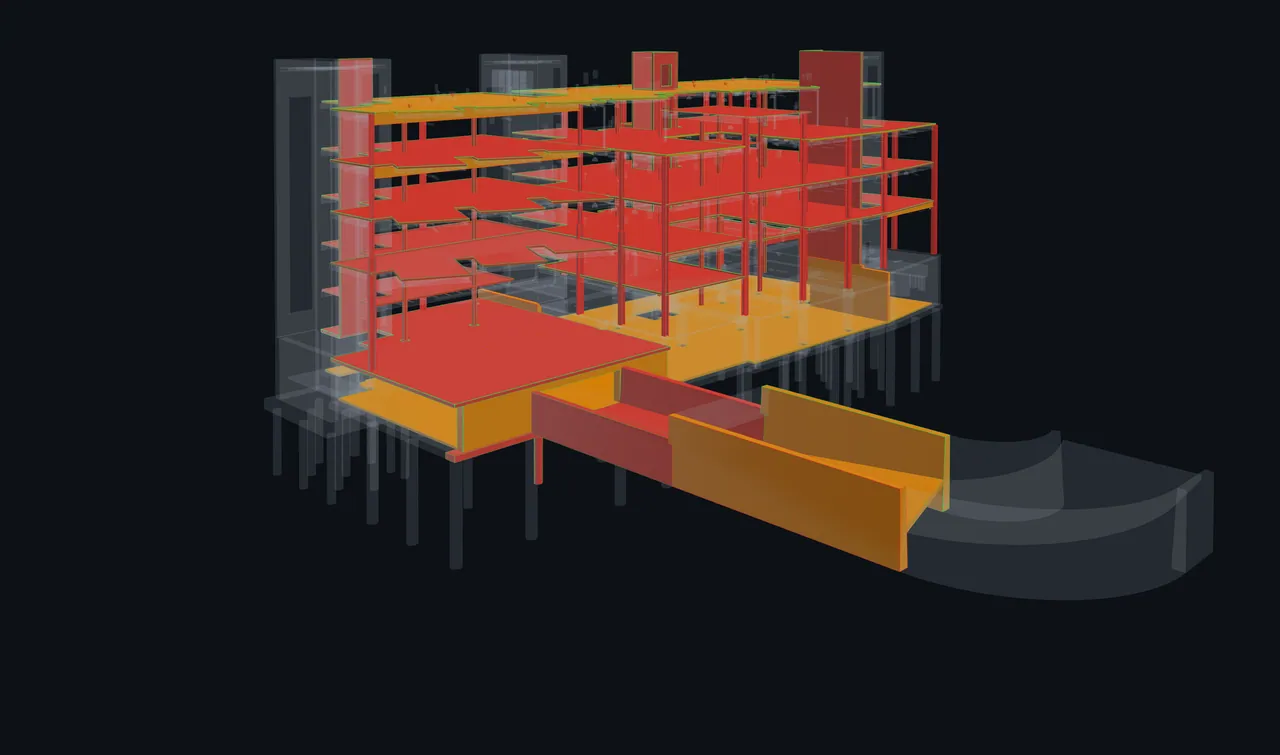
Keep everyone on the same model view, then record the decisions.
The host can present the complete live model view, including context, clipping and display choices, while each participant sees only authorised content. Freeze the view to draw together, or split the work into parallel lanes.
Pro and Business · 14-day trial · No card required
A shared review, with room to work.
Follow one meeting from the first shared view to the follow-up record. This is an authored illustration of the workflow.
Together · Jamie presenting #042
⌾
Jamie is presenting to everyoneAlex and Sam are following · Authorised content only
JAJamie and Alex are marking up
Frozen shared view · Draw anywhere on the image
Northbank / Authored example
Authored example · Your drawing stays in this page only.
Explore the published building context in this authored example.
01 / Shared review
Keep the room on one complete model view, then draw together.
Jamie presents #042 with the same camera, context, clipping and display choices on each authorised canvas. When the route needs discussion, Jamie freezes that rendered view so participants can mark up the same image without changing anyone’s underlying model view.
#042Duct / BeamLevel 02 · Needs review
JASThree people. One session.
Keep your usual call for conversation. ClashWise carries the model review, not audio.
02 / Parallel lanes
Give each person useful work.
Jamie reviews the mechanical clashes, Alex takes electrical and Sam takes plumbing. The room can see coverage and unassigned work while each person moves through their own lane.
JamieMechanical · #042 reviewed
AlexElectrical · #057 flagged
SamPlumbing · #061 in review
Alex flagged #057
“The tray route needs a decision with structure.”
03 / Regroup and record
Bring the question back to the room.
The flag on #057 becomes part of the regroup agenda. The team discusses it, saves a decision and gives Alex a follow-up. A saved marked-up image can sit beside those outcomes as visual evidence.
Recorded change
#042 · Contact: Jamie → Alex
Saved decision
#057 · Keep the agreed structural opening.
Saved action item
#057 · Alex to check the revised tray route.
Saved shared markup
Tray route markup · Marked-up image
Wise can draft minutes from this record. Your team reviews the result before sharing.
Bring the team to the space under discussion.
Choose a level in Plan, select a room and use Review this space to focus the clash worklist. A prepared, aligned IFC source supplies the room boundaries and location context; selecting the room alone leaves the worklist unchanged.
Save the view and keep a measurement with a note when it helps explain the decision. After the meeting, members can select that evidence for a BCF review package. Decisions and action items still enter the minutes only when saved.
Each session stays scoped to its clash set, so decisions, changes and history never mix between sets.
Invite guests without asking them to create an account. Their pass defines session or lane access and available actions, with an access briefing before they enter. Guests do not need paid editor seats; the host, members and guests all count within the plan’s people-per-session limit.
Pro supports 15 people in one live session and 1 occupied session per organisation. Business supports 25 people per session and 3 occupied sessions per organisation. A session counts only while someone is connected.
Plan a title, agenda, date, duration and attendees from matrix contacts, or start a live review in one click. Large sets can be focused before the meeting starts.
Join the shared model
Avatars show who is present. Follow voluntarily, or let the host keep every connection on the same authorised model view. When presentation ends, participants who were working independently return to their previous view.
Find your way back
Live indicators in the viewer, clash set, sidebar and dashboard always provide a route back. Only one session runs per clash set at a time.
Split along the lines that make sense for this project.
Use contact, level, discipline, another useful clash property or a hand-picked selection. The available divisions come from the current set.
Published model review. Product capture.
A focused view for each participant
For members, a lane filters the work rather than limiting project access: restore the full view to inspect other clashes. A guest pass still defines that guest’s permitted access.
One place that says how the room is doing
See coverage by lane and for the room, identify unassigned clashes and project a finish from the pace the room has achieved.
The contested pile becomes the agenda
Flag anything that needs the group. Regroup brings everyone to a shared view and steps through exactly those clashes.
Keep unfinished work visible
At wrap-up, review open flags and remaining lane coverage. Choose which unfinished work to save as a follow-up action.
The meeting record grows as you work.
While the session is active, ClashWise is already writing the record.
Status, priority, contact and due-date changes
Each change is captured with the clash number, old and new values and the person who made it.
Decisions you explicitly save
Decisions are stored exactly as typed and carried into the minutes word for word.
Owners, checkboxes and Wise suggestions
Add follow-ups with optional owners or ask Wise to draft suggestions from the session record; you accept only what you want.
Shared markup you choose to keep
Participants with access to the full session view can draw on the frozen image and save the flattened result. Lane- or contact-restricted guests receive a neutral notice instead of the image or marks.
Review the minutes before sharing them.
Wise drafts minutes from recorded changes, reviewed clashes, comments, notes, saved decisions and action items, attendees and attachments. Correct a decision or action item, regenerate, then copy the text or export a branded PDF.
Minutes report recorded activity and saved outcomes; they do not infer that an untouched clash was reviewed or resolved.
Every session, across every clash set
A cross-set overview provides status totals, a calendar and a list showing when minutes are ready.
Two settings, set once for the team
Organization admins can enable automatic review marking and default due dates for consistent sessions.
One report to circulate
Attendees, reviewed clashes, notes, comments, attachments and AI minutes are bundled into one downloadable report.
Before the next coordination meeting.
What sessions record, how the team joins and where Navisworks fits.
Does the AI just suggest what happened, or record it for real?
Minutes use the session record: recorded changes, reviewed clashes, comments, notes, saved decisions and action items. Review the draft before you share it.
What gets recorded automatically during a session?
During an active session, status, priority, responsible-contact and due-date edits are recorded with the clash number, the old and new values and the person who changed it.
Do we still need a screen share or a video call?
You still need a call for conversation because ClashWise does not carry audio. Each person has an authorised model canvas in front of them, and the host can keep those canvases on the same live view when the room needs a single reference.
What happens to the record when the room splits?
Nothing changes. Splitting changes how the room works, not what the session records.
Can two sessions run on the same clash set at once?
No. Only one session can be live on a clash set at a time; rejoin it instead of starting another.
Does ClashWise detect the clashes we coordinate?
No. Navisworks runs clash tests; ClashWise coordinates what happens next on the published clash set.
What is in the PDF report?
The attendee list, reviewed clashes, notes, comments, markup attachments and AI-drafted minutes.
Which plan includes coordination sessions?
Pro hosts up to 15 people in one live session and 1 occupied session per organisation. Business hosts up to 25 people per session and 3 occupied sessions per organisation. Starter cannot host, but may join a valid invitation. Enterprise capacity is explicitly configured and validated.
Do guests need editor seats?
No. Invited guests do not need paid editor seats. They count with the host and members toward the people-per-session limit, while monthly guest-pass allowances stay separate.
Bring your next clash review into the room.
Try coordination sessions on your published clash data, alongside the local Navisworks tools and web workspace.
 ClashWise