
A matrix built from your sources
Map properties per source and review the generated rules. Add new classes as the project changes; normal updates preserve existing rules and edits. Exact synchronisation and regeneration require a separate review.
 ClashWise
ClashWise features
Set up tests in Navisworks, publish their results and find the work in 3D or Plan. Bring the team into the right room, keep the evidence and carry decisions into the next revision.
14-day free trial · No card required
01 / Prepare in Navisworks
Build search sets, manage tests and review local AI titles in Navisworks Manage 2024, 2025, 2026, 2027. With Pro or Business organisation access, Coordination Setup connects your source models to a reviewed matrix and managed tests.
Run title generation on your machine, including offline after the one-time AI model download. Write to titles, descriptions or comments, with group-aware naming for grouped clashes.
Choose Basic, Detailed, Component ID, By Discipline, AI Preferred or Mixed. Generate names in English, German, Spanish, French, Italian, Japanese, Korean, Brazilian Portuguese, Russian, Simplified Chinese or Traditional Chinese.
Combine property conditions with computed grids and levels, preview grouping rules, then use Run & Publish for your chosen tests and destinations. Optional local title review happens before the final results are captured.

Inside the Navisworks ribbon
Map source properties, create repeatable sets and tests, group and name the results, publish the coordination work and return agreed fields to Navisworks. Use a focused command for one job or Run and Publish for a controlled batch.
Create a matrix from model properties before the first Navisworks run, or generate one from published clashes. Review the rules, then use the results matrix to open the clashes behind a discipline or class pair.
02 / Publish and analyse
Publish clash results from Navisworks and build the matrix in your browser. AI uses your project matrix to recommend priority, status and contact, with reasoning your team can review.
Map properties per source and review the generated rules. Add new classes as the project changes; normal updates preserve existing rules and edits. Exact synchronisation and regeneration require a separate review.
Combine captured properties with AND / OR filters, save reusable views or describe a filter in plain language and review it before applying. Bulk-update status, priority, contact and tags across the filtered clashes.
Accept or edit the recommendations. Review the change history and keep your edits through re-analysis. Use tags and a shared vocabulary to make the next review easier to organise.
03 / See the clash in context
Switch from the building to a level in Plan, select a room and choose Review this space. Isolate the two clash elements, bring back ghosted context and inspect IFC properties. Rooms need a prepared, aligned IFC source with spatial information.
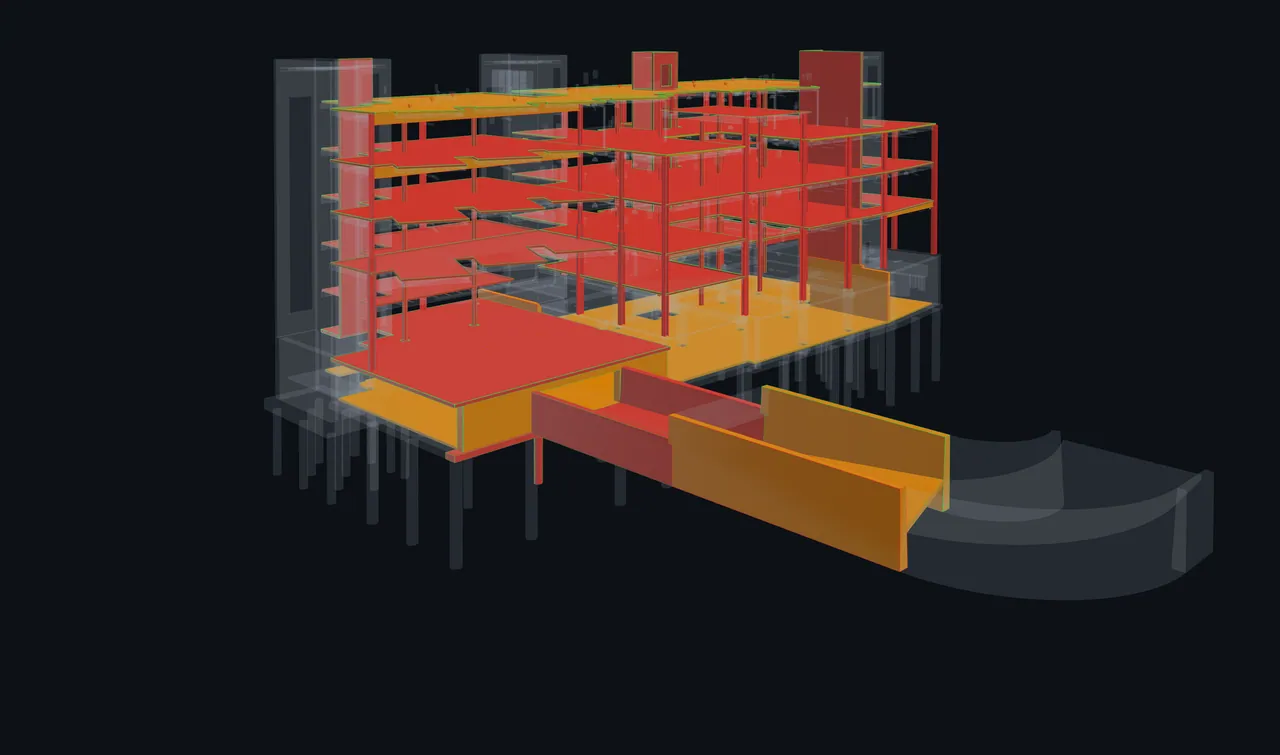
Reuse a model across clash sets from the Models library. Save views with their filters, clipping and spatial context, keep measurements with notes and resume a personal review tour. Whole-set navigation keeps clashes in the worklist even when their geometry is not loaded.
04 / Coordination sessions
Bring the team into a live review, keep every connection on one authorised model view when needed, or split into parallel lanes. Regroup around decisions that need more than one discipline, with unfinished work still visible.
The host can keep everyone on the same camera, context, clipping and display choices. Freeze that rendered view so participants can draw together and save the flattened image as session evidence.
Create lanes by contact, level, discipline or other clash properties. Keep coverage and unassigned issues visible, then choose which unfinished work becomes a follow-up action.
Guests can join without creating an account. Their pass defines session or lane access and available actions, with an access briefing before they enter. Guest allowances depend on your plan.
During an active session, status, priority, contact and due-date edits are recorded automatically. Save decisions and action items; Wise drafts minutes from those records for your review and branded PDF export.
05 / Wise and connected AI
Find clashes, inspect a matrix, update an assignment or draft session minutes. Wise works with your published coordination data in the web workspace, 3D viewer and Navisworks.
Ask about the clash set you are working on and request actions in plain language. Applied changes stay visible in the workspace, so your team can review the outcome and make further edits.
See Wise in Navisworks ↗
Use governed MCP connections with compatible AI clients and IDEs. Organisation admins enable access and separate reading from editing. High-impact edits require an explicit confirmation of the before-and-after preview; connected apps can be reviewed and revoked, and tool activity is recorded.
Explore MCP connections06 / Recheck and hand over
Re-run Clash Detective in Navisworks after the model changes. Publish the latest results with Update Clash Set, then review and sync selected status, priority, contact and comment changes. Existing clashes retain their identities; new clashes enter the worklist.
Priority sync requires Navisworks 2026 or later.



Export filtered clashes and selected columns to Excel or CSV. Export BCF 2.1 topics with coordination context, comments, snapshots and 3D viewpoints for compatible project tools. Session minutes can also leave as a branded PDF.
Explore BCF export07 / Projects and team controls
Pro gives your team a shared coordination workspace. Business adds multiple project workspaces, project-scoped visibility, per-project admins and member roles, and a company-standard matrix library to publish and clone.
Use dashboards to inspect the published work by status, discipline, level and contact. Keep project clash sets, matrices, tags and membership together as the team grows.
Compare plans and pricing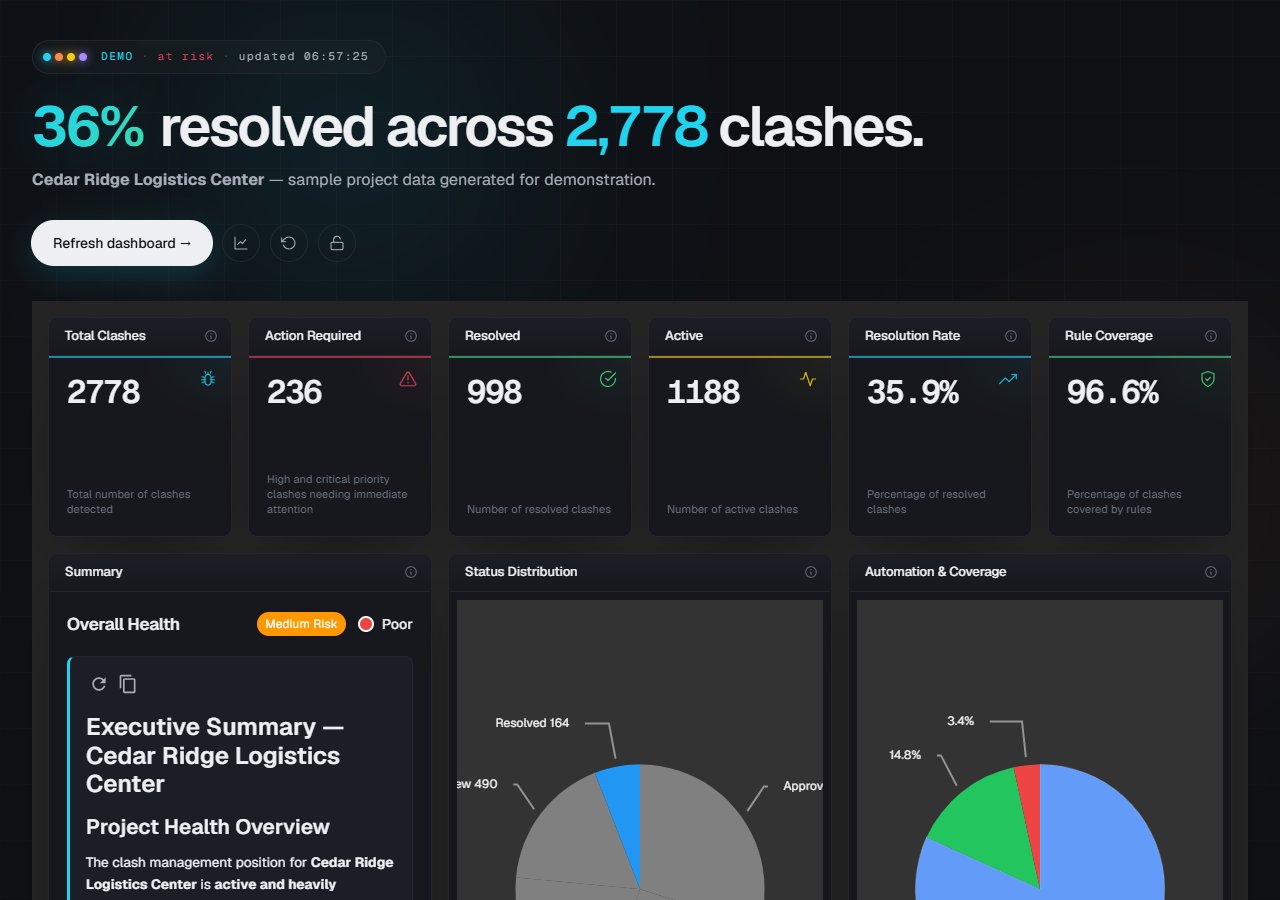
08 / Try a free tool
Use the free clash matrix builder to choose disciplines, set priorities by pair and export an Excel matrix. No account or Navisworks installation is required.
Your next clash review
Install the plug-in and explore local tools, published clash review and team coordination in your 14-day trial.